
Why do many technology advisers recommend a Chromebook as the best first computer for a reluctant senior?
Windows laptops require ongoing maintenance — updates, antivirus management, storage cleaning — that creates friction for users who simply want to check email and video call family. A Chromebook updates itself silently, is inherently resistant to malware, starts in under ten seconds, and costs a fraction of a comparable Windows device. The interface is closer to a tablet than a traditional desktop.
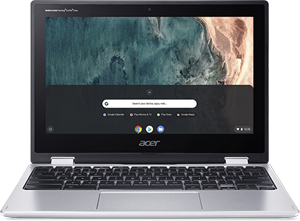
Chromebook with Senior Setup
Virus-free laptop with automatic updates — boots in 10 seconds, ideal for email and browsing.
Key Features
- Automatic updates — no manual patches or security decisions required
- Virus-free by design — no antivirus software needed
- Boots in under 10 seconds — no frustrating startup delays
Best for
Seniors who want a laptop purely for email, video calls, and browsing — nothing to maintain, update manually, or worry about. Automatic updates, no antivirus needed.
A low-maintenance laptop gift for a parent who just wants email and video calls without the upkeep of a Windows PC or the cost of a Mac. Always up to date.
Worth knowing
Not suitable for Windows-specific software or heavy photo/video editing
We may earn a commission at no extra cost to you.
Why the Chromebook with Senior Setup Is Worth Considering
Frequently Asked Questions
No — Chromebooks are virus-free by design and update automatically.
Chromebooks use Google Docs, not Microsoft Word — suitable for most writing needs.
How does it compare?
Other options in this category worth considering.
| Product | Price | Best for |
|---|---|---|
| Chromebook with Senior Setup This pick | $200–$350 | Seniors who want a laptop purely for email, video calls, and browsing — nothing to maintain, update manually, or worry about. Automatic updates, no antivirus needed. | A low-maintenance laptop gift for a parent who just wants email and video calls without the upkeep of a Windows PC or the cost of a Mac. Always up to date. |
| Hero Automatic Pill Dispenser | $50–$150 | Seniors managing four or more daily medications — the Hero dispenses the right pills at the right time and sends reminders when a dose is missed. | A practical gift for a parent whose medication routine is getting complicated — family can verify doses are being taken remotely via the app. |
| Audible Subscription (Amazon) | $140–$180 | Seniors with vision changes or those who prefer listening during walks, tasks, or rest. New audiobooks every month, no screen required — just press play. | A gift subscription that keeps giving every month — a parent gets a new audiobook credit automatically, with nothing to install or manage on their end. |
| Dragon NaturallySpeaking Home | $200–$300 | Seniors with arthritis, carpal tunnel, or tremors who find typing difficult — voice dictation that works with existing email and documents. | A practical gift for a parent who types slowly or painfully — set it up once and they can dictate emails and documents by voice. |
Prices are approximate ranges — check each retailer for today's price.
More in this category
Browse Adaptive TechInformation last verified: 2026-04-06.